 SeekerStack
Job application tracker
Their ATS tracks you.This one tracks them.
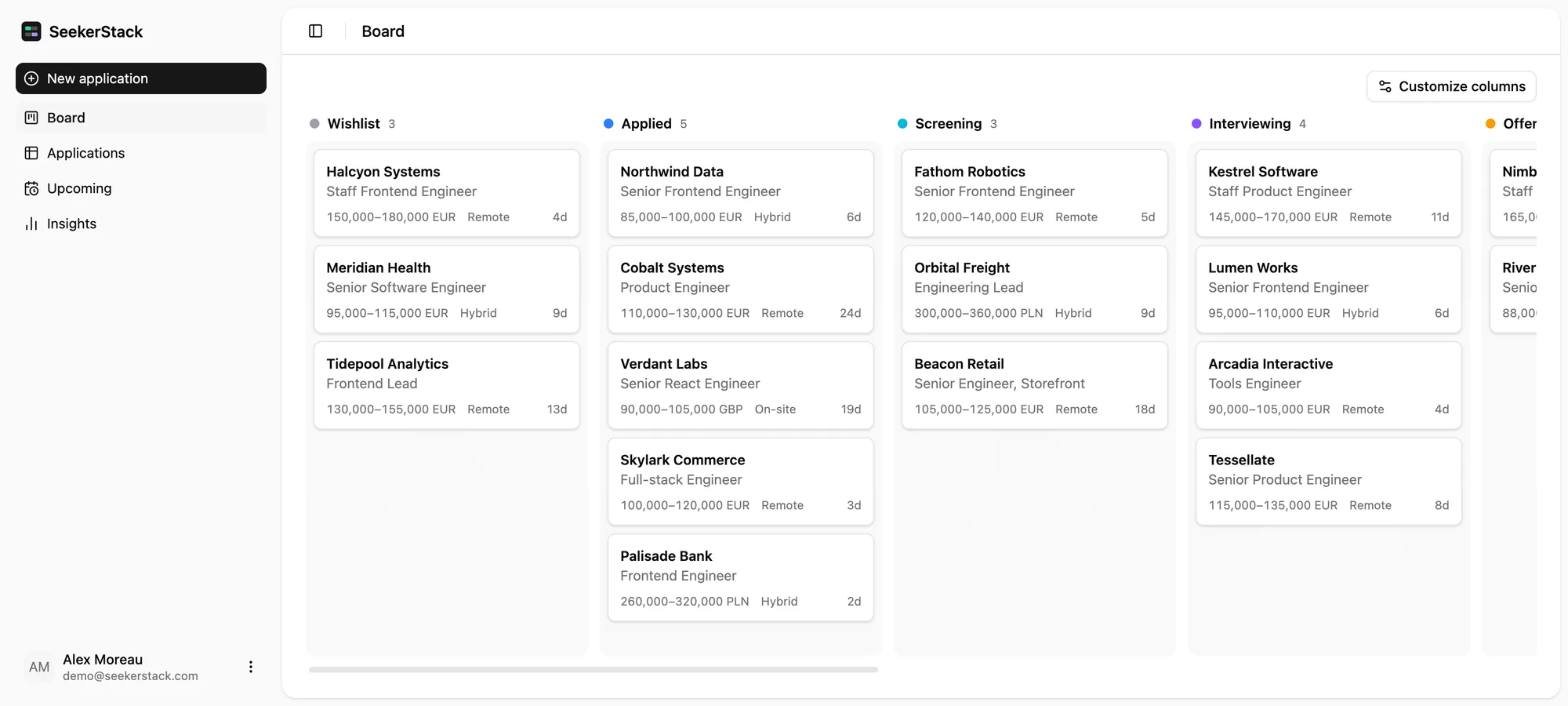
Every job you apply for gets a card. The interviews, the people you spoke to, your notes and the dates it moved all live on that card, so one click tells you where the conversation stands.
Signing up takes an email and a password. Or open the demo first: it runs a full board in your browser, with no account.
How it works
Paste, track, follow up.
Adding a job takes about twenty seconds. Everything after that is the board doing the remembering for you.
- 01
Add the job
Paste the advert's link and SeekerStack reads the page: company, role, location, salary and work mode come back filled in. Check them, press save. Nothing to import, and typing it in yourself still works.
- 02
Move it as things happen
Drag the card from Applied to Screening to Interviewing — and rename those columns, recolour them or delete the ones you'll never use. Log each round with its type, time and outcome, and keep the recruiter's email on the card.
- 03
Get told what's gone quiet
Anything active that hasn't moved in two weeks turns up under Needs follow-up, with a chase-up already drafted. Insights counts the rest: replies, interviews, how long a first answer usually takes.
Interviewing
Everything about one job, on one page.
Open a card and you get the notes you wrote after the call, every round with its type, time and outcome, the people you spoke to with their contact details, and a timeline of each stage the application has been through.

NotesInterviewsContactsTimeline
Fit
Upload your CV once. Every advert gets a score.
SeekerStack reads the PDF into a profile — roles, years, skills — then compares each advert against it. You get a percentage on the card, and underneath it the things the posting asks for that your CV never mentions.


Chrome extension
One click, from the job page.
Click the icon while you're looking at the advert. SeekerStack reads the page you're on, fills in the new-application form and opens it for you to check. It works on LinkedIn and Indeed, where pasting a link gets you a login wall instead of a job.
- Works where a pasted link fails
- The big boards serve adverts to browsers, not to servers. The extension reads the page you already have open, signed in as you.
- Two buttons that say what they do
- Check fit against my CV scores the advert first. Just add this job skips that. Either way the form opens filled in, and nothing lands on your board until you press save.
- No standing access to any site
- There is no script running in the background on the sites you visit. Chrome grants the one tab you clicked on, for as long as the read takes.

Ghosted
The ones that go quiet.
Upcoming lists your interviews in date order, so the week ahead is a single page. Below it sits everything still active that hasn't moved in fourteen days, with the number of days it has been sitting there and a chase-up drafted for you to edit and send.

Insights
Your search, in numbers.
How many applications got a reply, how many reached an interview, how long a first answer usually takes, and the column where things tend to stop. Over the last 30 days, the last 90, or everything you've ever sent.

Heard backReached an interviewTypical first replyHow far they get
Install it without a store.
SeekerStack is a progressive web app. Add it to your home screen and it opens full screen, like anything else on there.
Nobody is reviewing your board.
One account, one search. Nothing is shared with the companies you're tracking, and no recruiter sees a word of what you've written about them.
Accepted
Start with the ones you've already sent.
Add the applications currently living in a spreadsheet, a notes app, or your memory. The board is set up the moment you sign up.